RightAir Solutions is a company that specialises in commercial air conditioning services.

How do you install a Hive Thermostat in the UK step by step?

To install a Hive Thermostat in the UK, you must check if your boiler is compatible. Then gather the tools and Hive kit, install the receiver safely, connect the hub to Wi-Fi, mount and pair the thermostat, test the system, and set up smart features using the Hive app. This guide clearly covers each step so that you can complete the job yourself or know when to ask for help.

Thinking About Installing a Hive Thermostat? Start Here First

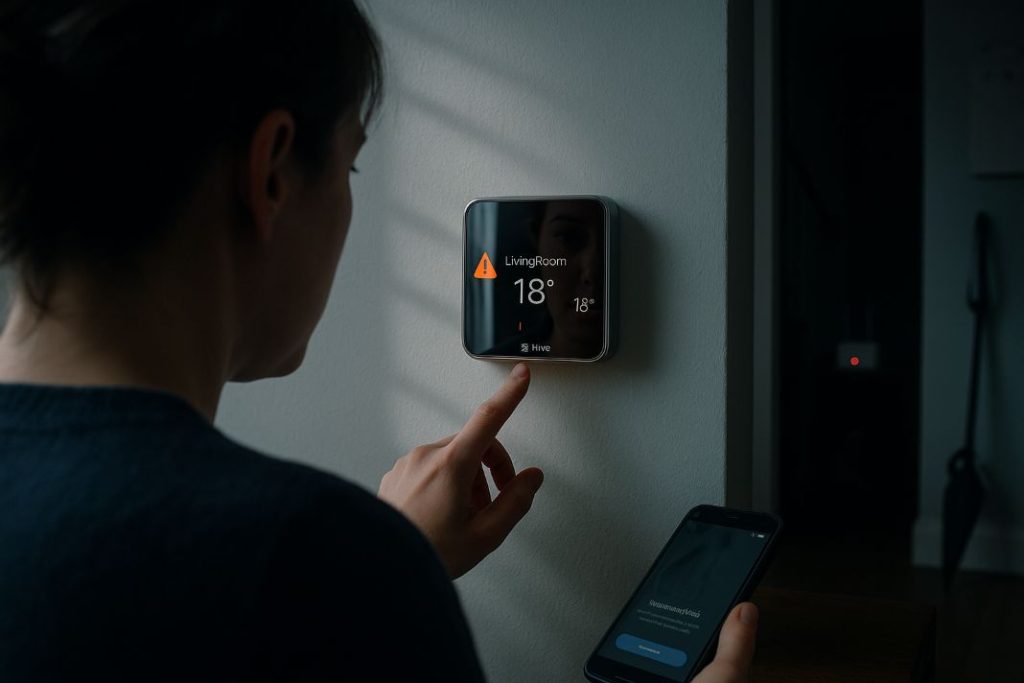
Hive is a smart heating control system used widely in UK homes. It helps reduce energy bills, gives precise temperature control, and can be managed from a smartphone. Whether you want to fit it yourself or hire a professional, this guide will help you understand each part of the process.

The Hive Thermostat connects to central heating and hot water systems and allows you to manage them using the Hive app. Homeowners often choose Hive because of its energy-saving features and ease of use. Learning the basics first makes the rest of the steps easier to follow.

Smart thermostats like Hive are common in homes aiming to save energy. RightAir offers trusted Hive installation services across the UK. Hive also fits into a broader approach to home energy management and smart home automation.

What is Hive?

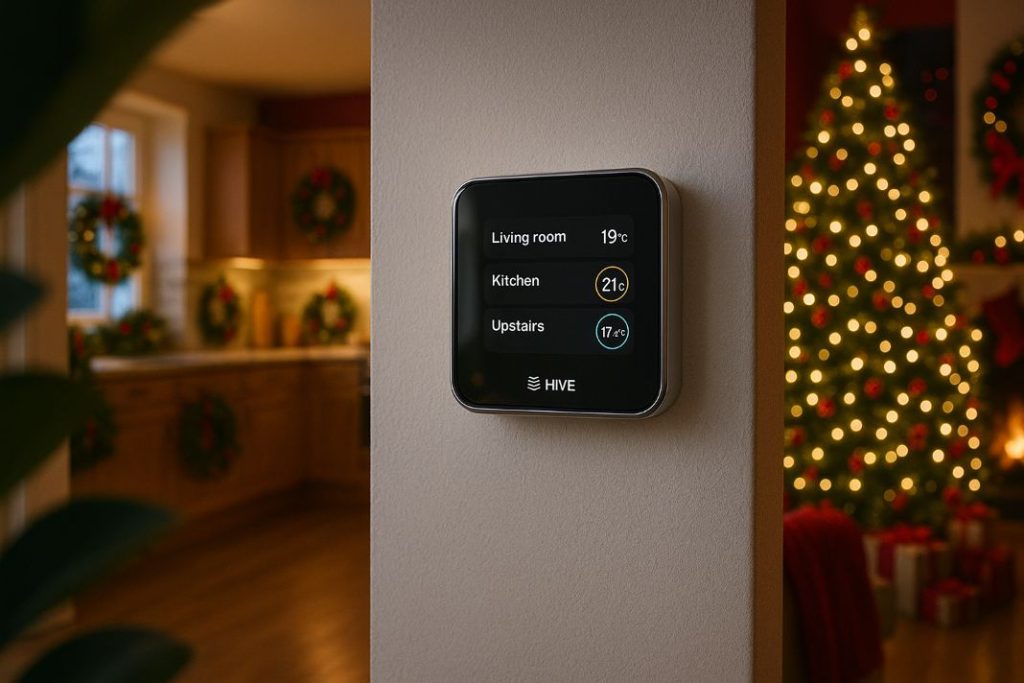
Hive is a smart thermostat system created by Centrica (British Gas). It lets you control your home’s heating and hot water from your phone, tablet, or voice assistant. Hive is popular for its easy-to-use app and compatibility with many UK heating systems.

Is Your Home and Boiler System Compatible With Hive?

Hive works with most UK heating systems. Check your setup before installing.

Boiler Type

  1. Combi Boiler – These usually work well with Hive. They supply heating and hot water without a tank.

  2. System Boiler – These are also compatible. They use a hot water cylinder but do not need a cold water tank.

  3. Gravity Fed System – These may need extra wiring and a dual channel receiver.

Controls and Wiring

  • If your current system uses a wall thermostat or programmer, Hive may be able to reuse the existing wiring.

  • Open the boiler or wiring centre to check if the terminals are labelled: L, N, 1, 2, 3, and Earth.

Voltage and Protocols

  • Hive works with 230v switched live or volt-free systems. Older systems may need updates.

  • Hive does not work with some protocols like OpenTherm or other digital-only control systems.

Using Hive for Multiple Zones

Homes with more than one heating zone can still use Hive. You need a multizone Hive kit with extra receivers and thermostats. Each one must be wired and linked in the Hive app to control each area separately.

Pro Tip: Use a multi meter to test for live voltage before wiring the Hive receiver, never assume the power is off.

What Tools and Prep You’ll Need Before You Start

Gathering the right tools and setting up properly saves time.

Tools

  1. Flathead and Philips screwdrivers

  2. Drill with masonry and wood bits

  3. Multimeter and voltage tester

  4. Spirit level

  5. Wire cutter or stripper

Materials

  1. Hive kit (thermostat, receiver, hub)

  2. Wall plugs and screws

  3. Mounting brackets

  4. Cable ties

  5. Access to your consumer unit or fused spur

App and Network Setup

  • Download the Hive app on your phone.

  • Sign in or create your Hive account.

  • Make sure the router is nearby where the hub will be placed.

Clear space near your boiler and decide on the thermostat location before starting the work.

How to Wire and Fit the Hive Receiver Safely

The receiver links your boiler to the Hive system and replaces the old thermostat.

Steps to Follow

  1. Turn off the power at the consumer unit.

  2. Remove the existing controller or programmer.

  3. Identify Live (L), Neutral (N), Earth, Common (1), and Call-for-Heat (3) wires.

  4. Connect the wires to the Hive receiver terminals.

  5. Mount the backplate and attach the receiver to it.

  6. Tighten the terminal screws and check that the Earth is secure.

  7. Turn the power back on and look for lights on the receiver.

Avoid These Mistakes:

  • Never work while the power is on.

  • Do not bridge terminals unless the instructions allow it.

  • Avoid placing the thermostat in hot spots or near cold drafts.

If you are not confident, it is safer to call for a professional installation.

Get Hive Installed by a Certified Pro

Don’t want the hassle? Our RightAir engineers handle Hive installs safely and fast.

Setting Up the Hive Hub and Connecting It to Wi-Fi

The hub connects your system to the internet so the app can control everything.

Installation Steps

  1. Plug the hub into a socket.

  2. Connect it to your router using the Ethernet cable.

  3. Wait for the green light to confirm connection.

  4. Use the Hive app to scan the QR code on the hub.

  5. Follow the instructions in the app to complete pairing.

Avoid placing the hub behind thick walls or near large metal objects that could block the signal.

Installing and Pairing the Thermostat the Right Way

Once the hub and receiver are ready, you can mount and pair the thermostat.

Best Placement

  • Choose a frequently used room.

  • Avoid radiators, direct sunlight, and external walls.

  • Install it at chest height for better temperature readings.

Pairing Process

  1. Insert the batteries and power up the thermostat.

  2. Go into pairing mode from the settings.

  3. Use the app to link the thermostat to the hub and receiver.

  4. If pairing fails, restart and try again.

  5. Check the temperature reading for accuracy.

You can also use the stand if you prefer not to wall mount the thermostat.

Powering Up: Testing and Commissioning Your Hive System

When the setup is complete, check everything is working.

What to Test

  1. Increase the temperature on the app or thermostat and confirm the boiler activates.

  2. If hot water is connected, switch that on as well.

  3. Turn the system off and on through the app.

  4. Check the thermostat shows the correct room temperature.

  5. Look at the receiver lights for proper operation.

If the system does not respond, restart it and check the wiring.

Making the Most of the Hive App and Smart Features

Hive has features that save energy and offer more control.

Useful Features

  • Schedules for heating based on your routine

  • Geolocation that turns heating off when you leave

  • Holiday mode for low energy use while away

  • Voice control using Alexa or Google

  • Energy usage tracking for better heating decisions

Begin with basic schedules, then explore the other options once you’re confident using the system.

Pro Tip: Place the thermostat on an interior wall away from windows or radiators to improve heating accuracy.

Troubleshooting Common Hive Installation Problems

If something does not work, check the following:

  • Boiler not starting – Make sure wiring is correct and the Call-for-Heat wire is connected.

  • Thermostat offline – Replace batteries or move it closer to the hub.

  • App not controlling system – Restart the router and check connections.

  • Heating not working – Ensure the schedule is active and receiver lights are on.

For anything unusual, visit Hive support or contact a qualified installer.

DIY or Professional Help? When to Call a professional

Some setups are best left to professionals, like RightAir Solutions in London!

Situations to Get Help

  1. Terminals are unlabelled or hard to identify.

  2. No neutral wire is present.

  3. You have a gravity fed or custom system.

  4. You need proof of installation for a landlord or building control.

Installer Quick Checklist

  1. Confirm boiler compatibility.

  2. Use a fused spur to isolate power.

  3. Identify 230v or volt-free switching type.

  4. Test the Call for Heat response.

  5. Set up the Hive app with the customer.

  6. Check compliance with Part P of UK Building Regulations.

Final Checklist and Long-Term Hive Tips for Your Home

Confirm everything before considering the job done.

Final Installation Checklist

  1. All wiring is secure.

  2. Hub, thermostat, and receiver are linked.

  3. Heating and hot water respond properly.

  4. The Hive app is working.

  5. Schedules are active.

LongTerm Tips

  • Adjust schedules with the seasons.

  • Keep the app and firmware updated.

  • Use energy reports to cut waste.

  • Contact RightAir for support or upgrades.

Glossary of Key Terms

  • Call-for-Heat: A signal that tells the boiler to switch on.

  • Volt-Free Switching: A no-voltage signal used to trigger boiler functions.

  • Fused Spur: An electrical outlet with its own fuse, used to safely isolate appliances.

  • Dual Channel Receiver: A Hive device that controls both heating and hot water.

  • Pairing Mode: A setting that allows devices to link wirelessly.

  • Geolocation: A feature using your phone’s location to manage heating while you’re home or away.

Once your Hive thermostat is installed and working, it can help you heat your home more efficiently year round.

Not Sure If Hive Will Work in Your Home?

We check your boiler and wiring so you don’t waste time or money on incompatible setups.

Share

Read Similar Blogs

Can I Replace a Thermostat Myself-RightAir Solutions

Can I Replace a Thermostat Myself?

Thinking of swapping your thermostat? Find out if it’s safe, legal, and worth doing yourself before you reach for your screwdriver.

RightAir Solutions

32 Donnington Rd, London NW10 3QU
 
020 3886 2326
 
GQRC+JX London